July 2 Diff Gallery

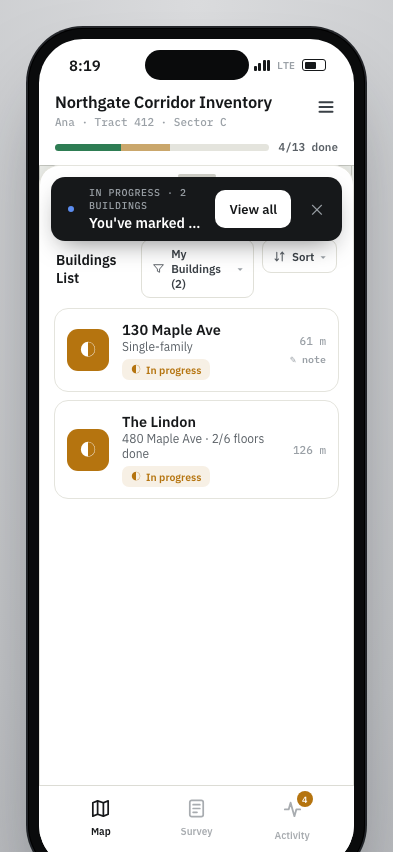
JJ July prototype compared with the current field PWA. Each slide isolates one design or workflow choice for review.

Comparison 1 / 14

Compact map header

JJ compresses project, canvasser, progress, and menu access into a tighter top bar on the map screen.

JJ prototype screenshot

The header uses one compact line with the project label, active canvasser, progress, and menu icon.
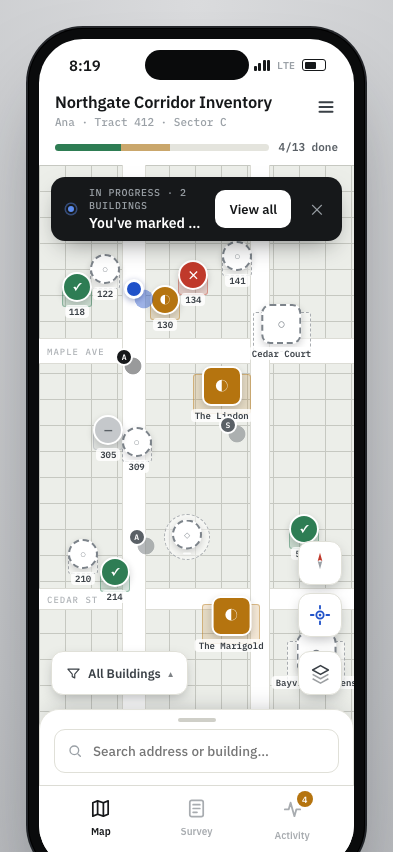
JJ prototype map with compact top header

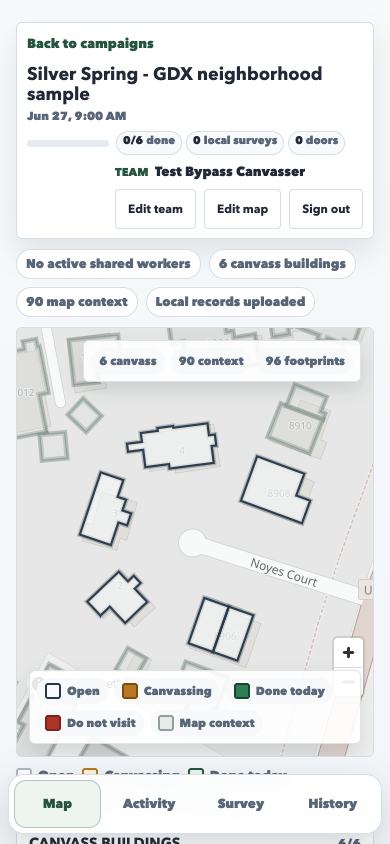
Current PWA screenshot

The current map header takes more vertical space and spreads team, progress, and utility actions across a larger top section.
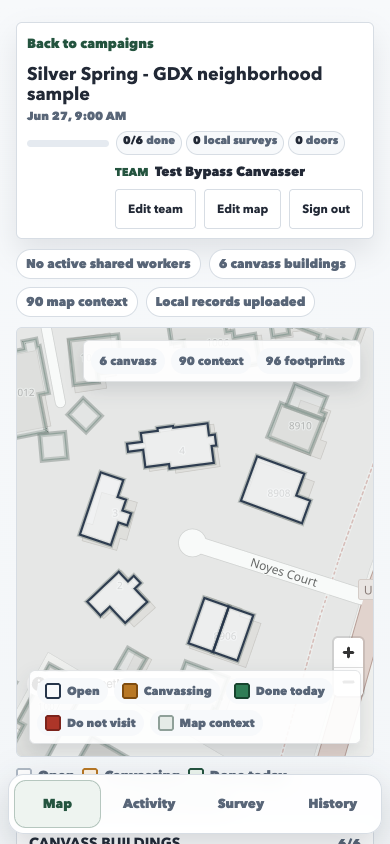
current PWA map with larger top header

Three-tab bottom navigation

JJ reduces the persistent bottom navigation to Map, Survey, and Activity, leaving History out of the main tab bar.

JJ prototype screenshot

The tab bar prioritizes the three field-loop surfaces and orders Survey before Activity.

JJ prototype bottom navigation with Map Survey and Activity tabs

Current PWA screenshot

The current bottom navigation has four tabs: Map, Activity, Survey, and History.

current PWA bottom navigation with Map Activity Survey and History tabs

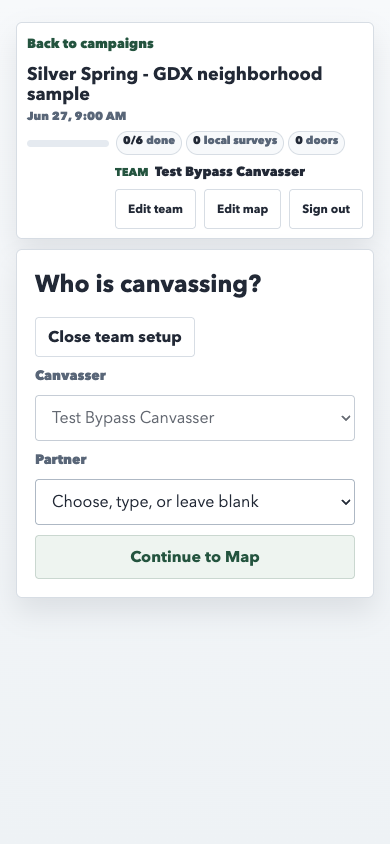
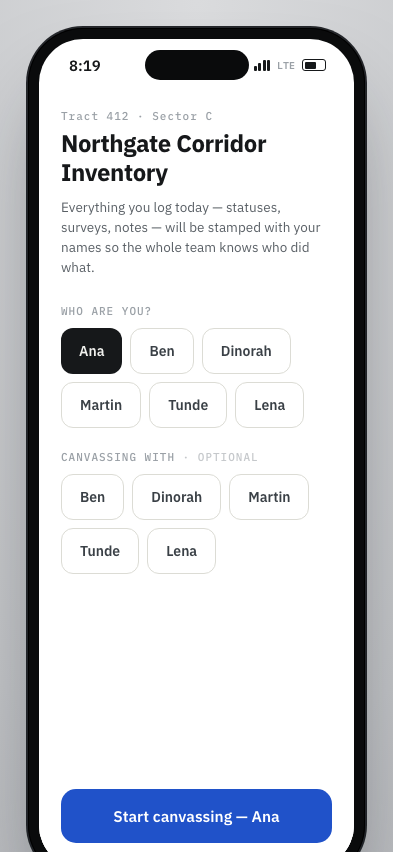
Session setup as chip picker

JJ starts with a full-screen self and optional partner picker that uses large person chips before field work begins.

JJ prototype screenshot

Self and partner selection use button groups and a single start action.

JJ prototype session setup with self and partner chips

Current PWA screenshot

The current setup panel uses a fixed canvasser field, partner dropdown, and Continue to Map.

current PWA team setup panel

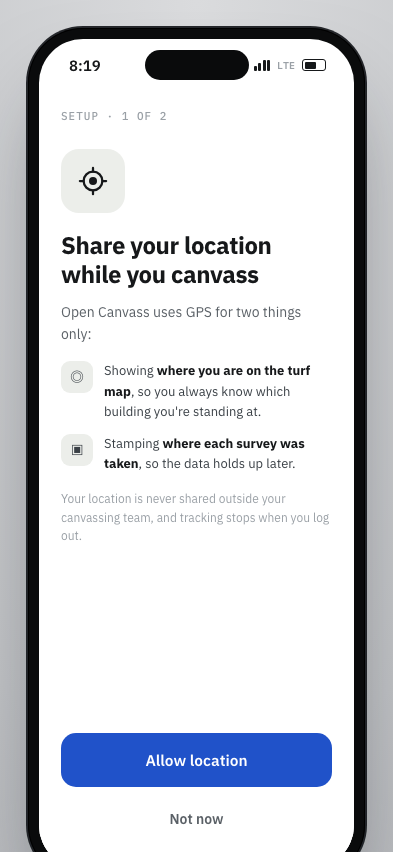
Location permission onboarding

JJ explains GPS use before asking the canvasser to continue, with concrete reasons tied to the map and survey stamp.

JJ prototype screenshot

A custom GPS prompt explains location use before the map flow continues.

JJ prototype location permission explainer

Current PWA screenshot

The local current-PWA path enters the map after team setup without a matching custom GPS prompt.

current PWA map after team setup

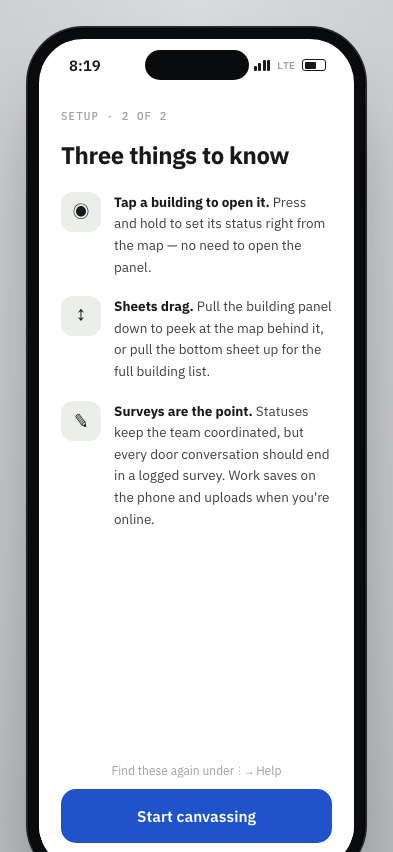
Field-loop coaching overlay

JJ adds a second onboarding step that teaches map taps, draggable sheets, and survey-first expectations.

JJ prototype screenshot

The tips panel names tap, press-and-hold, sheet drag, and survey logging behaviors.

JJ prototype setup tips overlay

Current PWA screenshot

The current flow shows the map and building list directly after setup.

current PWA map without first-run coaching overlay

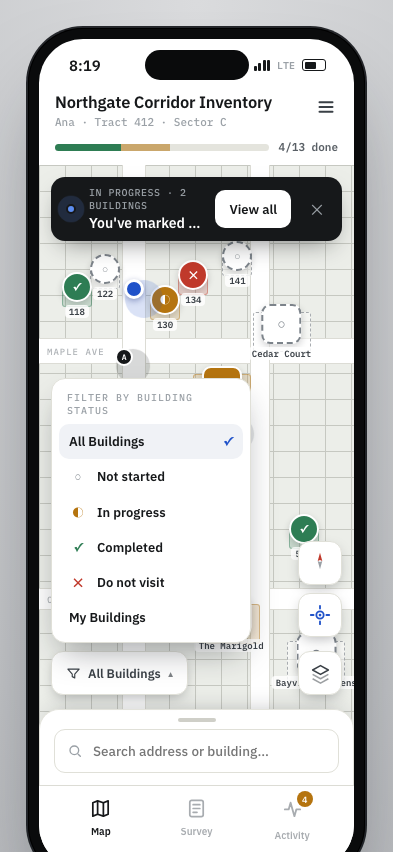
Map-level building filter

JJ puts building filters directly on the map as a floating selector, including My Buildings as a first-class filter.

JJ prototype screenshot

The bottom map selector opens a status filter menu over the map.

JJ prototype map with bottom building status filter menu

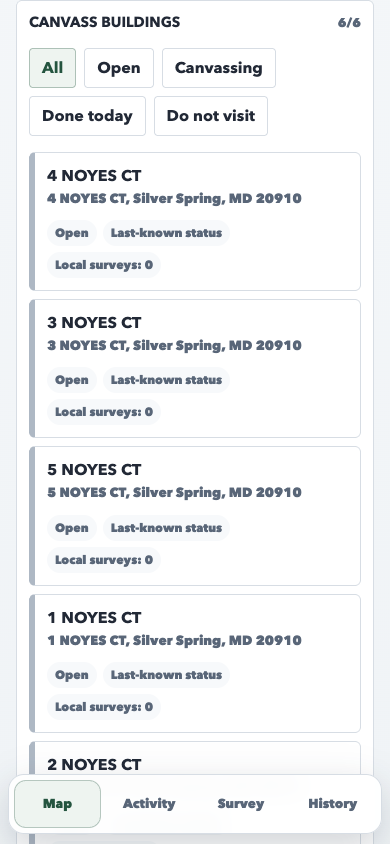
Current PWA screenshot

The current filter chips live in the building-list section below the map.

current PWA map and building list with inline filter chips

Bottom-sheet building list

JJ uses a bottom sheet to reveal the building list over the map, with search, My Buildings, sort, distance, and note markers.

JJ prototype screenshot

The list opens as a sheet above the map and keeps the bottom tabs in reach.

JJ prototype bottom sheet building list with search filters and sort

Current PWA screenshot

The current list is a normal section below the map, reached by scrolling.

current PWA map scrolled down to the building list

Map layer selector

JJ includes a base-layer control for Schematic, Streets, and Satellite views, plus a settings path for marker size.

JJ prototype screenshot

The base-layer menu sits with the compact map controls.

JJ prototype map base layer selector

Current PWA screenshot

The current map uses the configured MapLibre style or fallback without a field-facing layer picker.

current PWA map without base layer selector

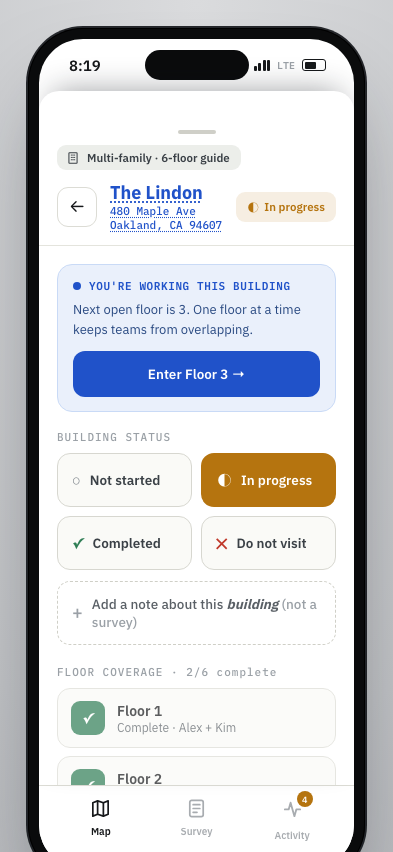
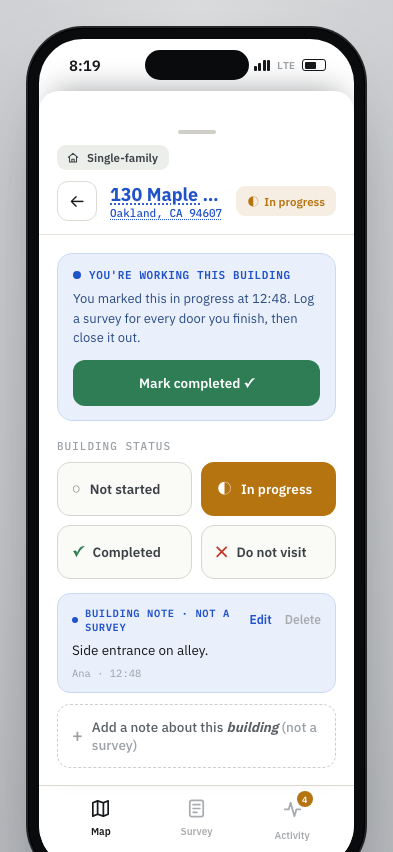
Building panel working state

JJ leads the building sheet with the current worker state and a direct completion action before status and note details.

JJ prototype screenshot

The sheet starts with "you're working this building" and a completion button.

JJ prototype building sheet with working state first

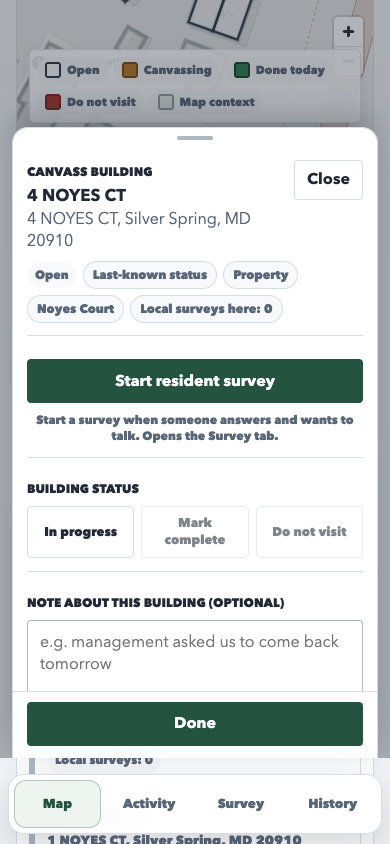
Current PWA screenshot

The current sheet starts with richer metadata, survey CTA, status grid, and note field.

current PWA building panel with metadata and status controls

Building note treatment

JJ labels building notes as separate from surveys and shows saved notes with edit and delete actions inside the sheet.

JJ prototype screenshot

An existing note appears as a note object with author, time, edit, and delete controls.

JJ prototype building panel with building note object

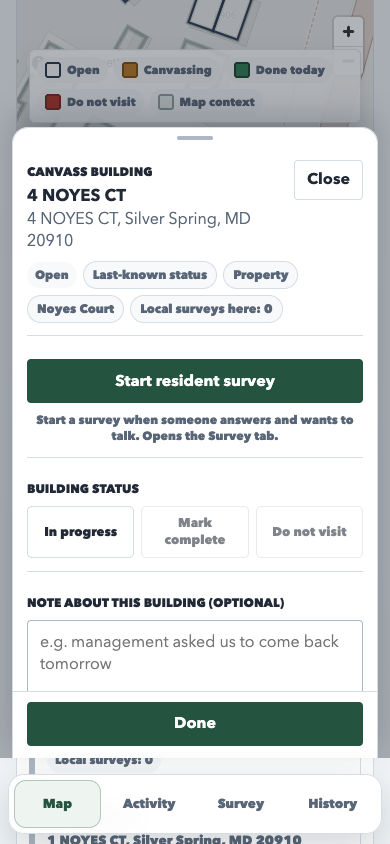
Current PWA screenshot

The current sheet shows a note textarea directly in the main building panel flow.

current PWA selected building panel with note textarea visible

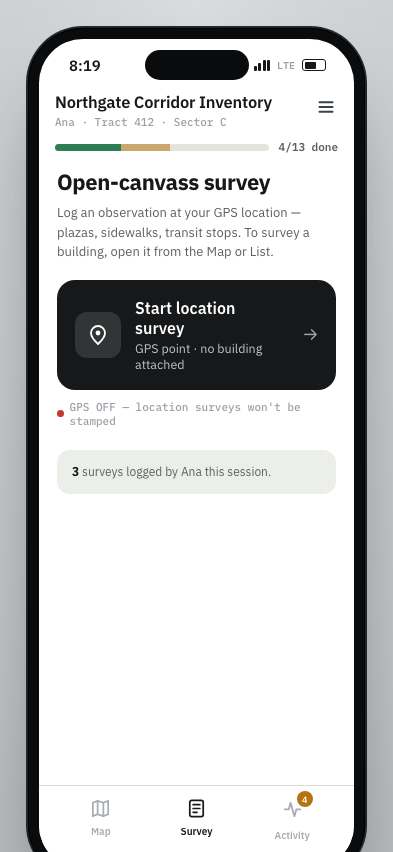
Survey tab landing

JJ makes the Survey tab start with a location-survey entry point and a count of surveys logged by the active canvasser.

JJ prototype screenshot

Survey begins with a GPS location survey card when no building is attached.

JJ prototype Survey tab with location survey entry point

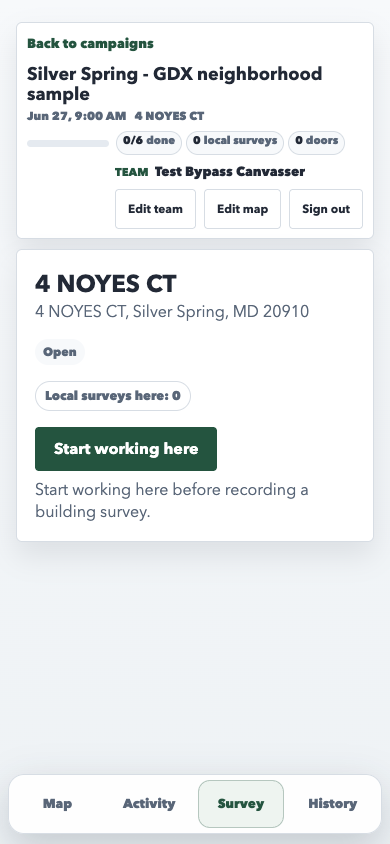
Current PWA screenshot

The current Survey tab asks the canvasser to prepare or start working before the survey flow.

current PWA Survey tab entry panel

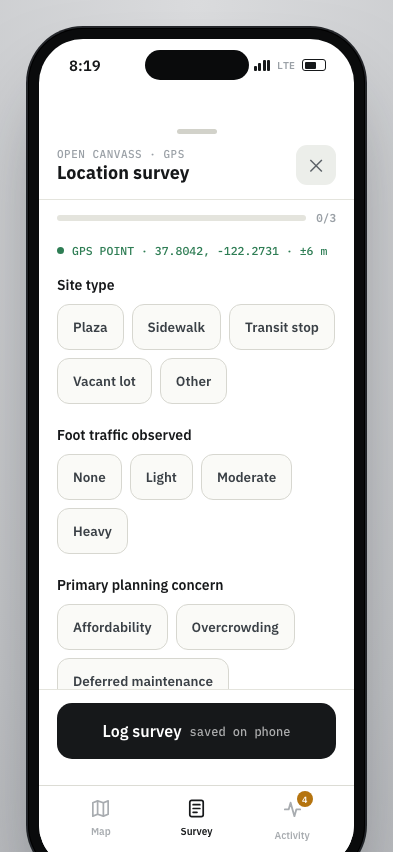
Compact location survey form

JJ shows a short chip-based location form with a progress count, GPS point, and a persistent saved-on-phone submit footer.

JJ prototype screenshot

The form emphasizes three required sections and visible local-save expectation.

JJ prototype location survey form with chip answers

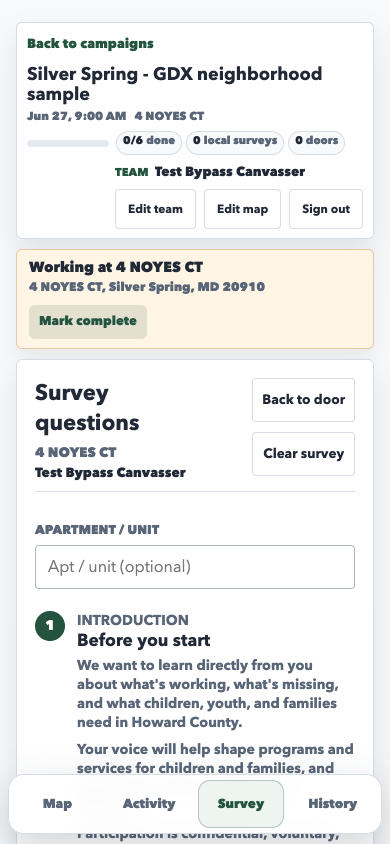
Current PWA screenshot

The current resident-survey flow uses the embedded full survey screen and canvass context.

current PWA resident survey flow

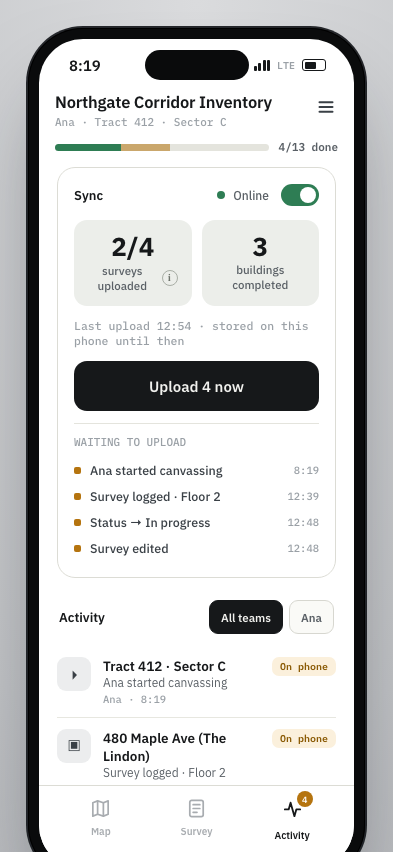
Activity as sync dashboard

JJ puts online state, upload counts, waiting-to-upload items, and the activity feed together in Activity.

JJ prototype screenshot

Activity starts with sync state and waiting upload rows, then continues into the feed.

JJ prototype Activity tab with sync dashboard and feed

Current PWA screenshot

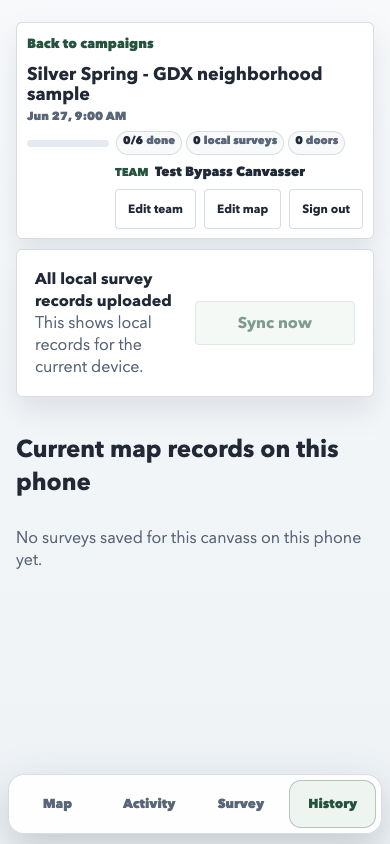
The current app keeps upload status and current-device records in History.

current PWA History tab with local upload status

Hamburger menu and settings

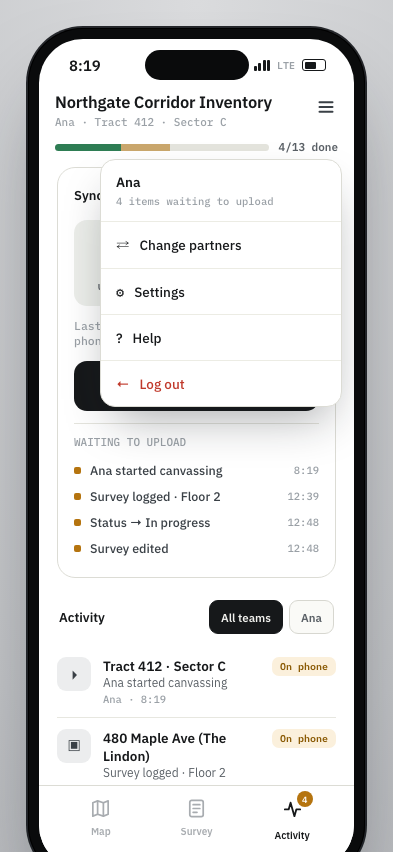
JJ centralizes partner changes, settings, help, logout, and upload status in a top-right menu.

JJ prototype screenshot

The menu exposes partner, settings, help, and logout actions with upload-state context.

JJ prototype hamburger menu with partner settings help and logout

Current PWA screenshot

The current header exposes team edit, edit map, sign out, progress, and upload context across separate surfaces.

current PWA header with separate utility actions