July 3 Diff Gallery

July 3 prototype compared with the current field PWA code line on origin/staging at 8b8a21d. Baseline screenshots use the safe test-bypass fixture because hosted staging requires Google sign-in in a clean browser.

Comparison 1 / 12

Session chip picker

The prototype starts with a roster picker for the active canvasser and optional partner before the field loop begins.

July 3 prototype screenshot

Self and partner selection use large chips and a single start action.
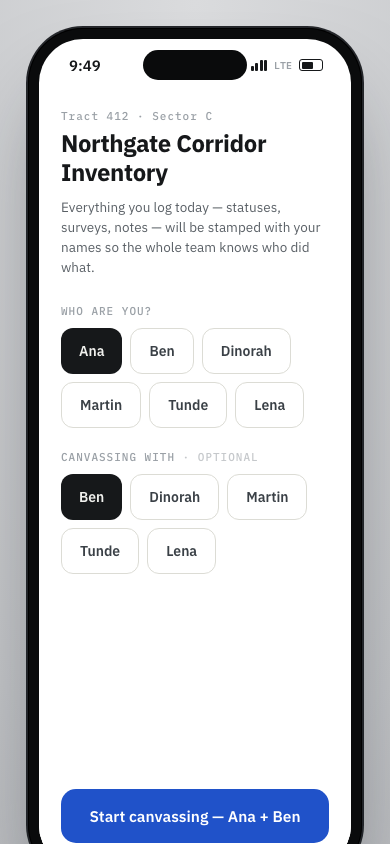
July 3 prototype session picker with Ana and Ben selected

Current field PWA screenshot

The current app uses campaign and canvass selection first, then a setup panel with select fields.
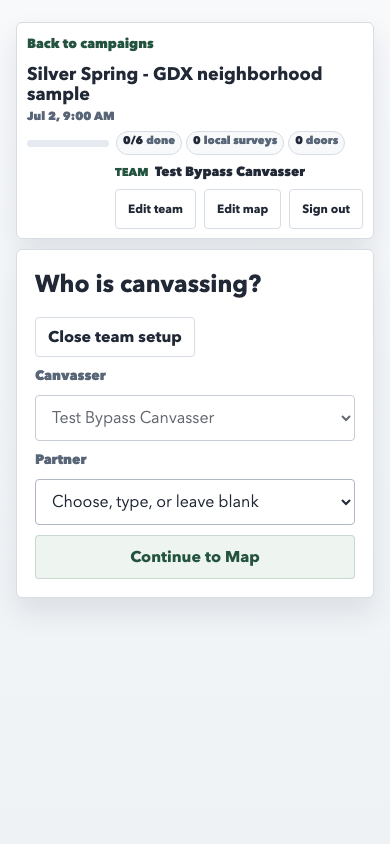
Current field PWA team setup form

Location onboarding screen

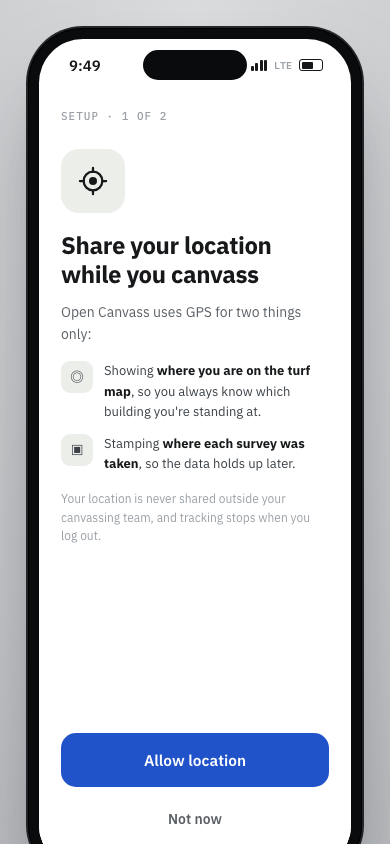
The prototype inserts a custom GPS explanation before map use, with concrete reasons for location capture.

July 3 prototype screenshot

The GPS prompt names turf-map position and survey stamping before asking for location.

July 3 prototype location onboarding prompt

Current field PWA screenshot

The current path goes from setup into the map without a matching custom location explainer.

Current field PWA map start screen

First-run field coaching

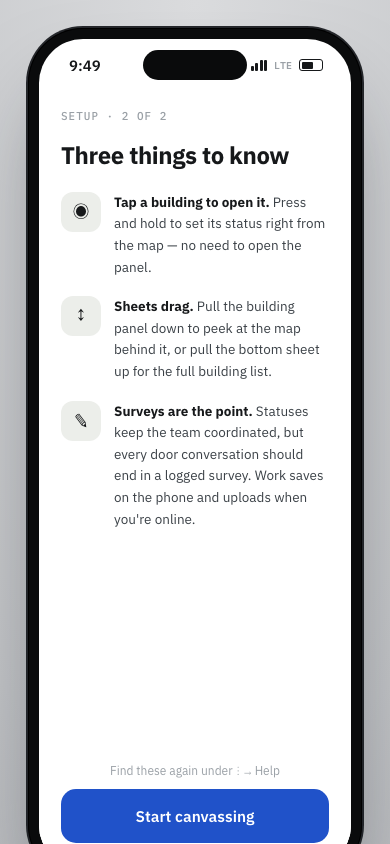
The prototype adds a second setup step that teaches map taps, draggable sheets, and survey expectations.

July 3 prototype screenshot

The tips screen explains tap, press-and-hold, sheet drag, and survey logging behavior.

July 3 prototype first-run coaching screen

Current field PWA screenshot

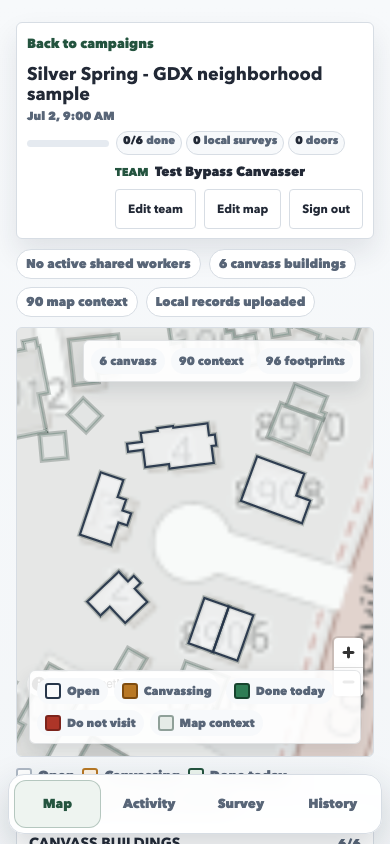
The current app enters the selected canvass shell and exposes the map/list directly after setup.

Current field PWA map without a first-run coaching screen

Compact map shell

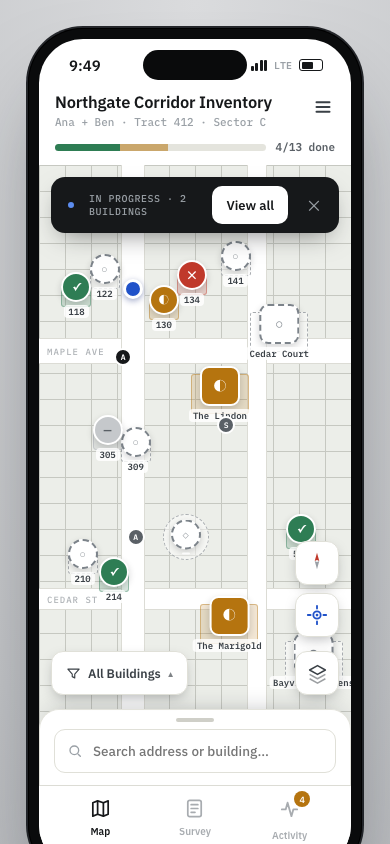
The prototype compresses canvass name, team, progress, and menu access into a phone-framed top bar.

July 3 prototype screenshot

The map owns most of the first viewport, with progress and menu kept in a narrow header.

July 3 prototype compact map shell

Current field PWA screenshot

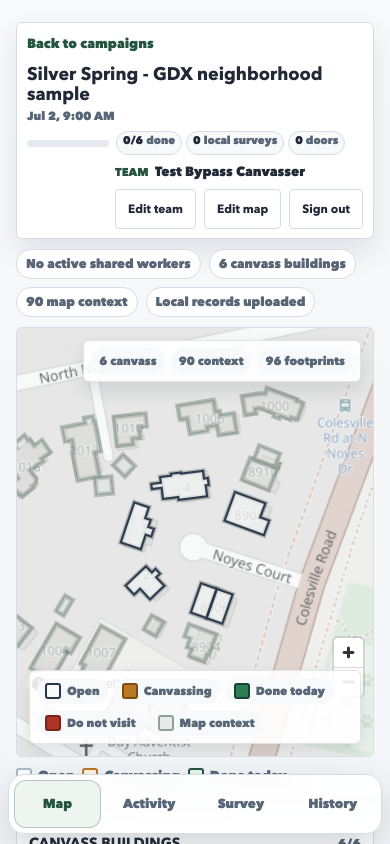
The current shell keeps campaign metadata, team actions, status chips, and map context above the map.

Current field PWA map shell with larger header sections

Three-tab bottom navigation

The prototype keeps Map, Survey, and Activity in the primary tab bar and moves utility/history work elsewhere.

July 3 prototype screenshot

The bottom bar has three field-loop tabs, with Activity carrying the upload count.

July 3 prototype three-tab bottom navigation

Current field PWA screenshot

The current selected-canvass shell has four tabs: Map, Activity, Survey, and History.

Current field PWA four-tab bottom navigation

Map-level building filter

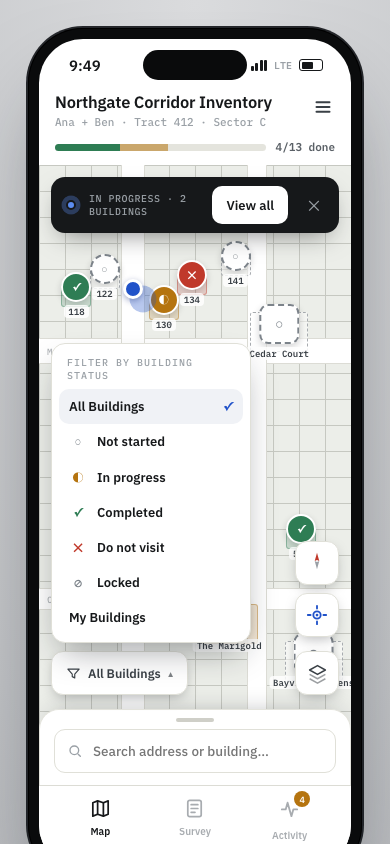
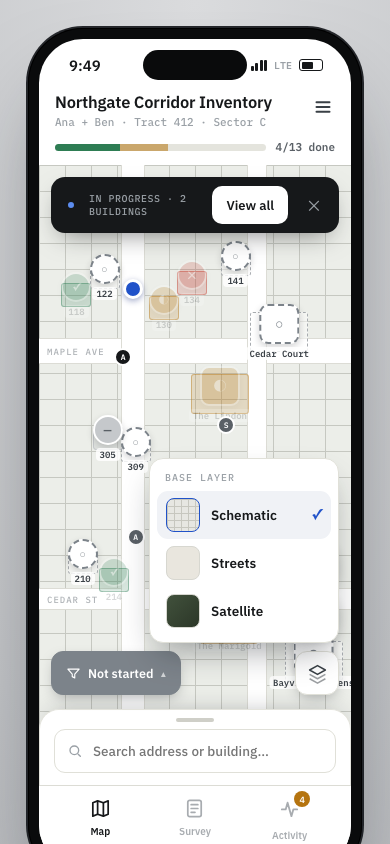
The prototype puts building status filters in a floating map control, including My Buildings as a first-class view.

July 3 prototype screenshot

The filter menu opens over the map from a thumb-zone control.

July 3 prototype map filter menu

Current field PWA screenshot

The current app places filter chips in the list section below the map.

Current field PWA building list filter chips

Map layer selector

The prototype includes a field-facing base-layer menu for Schematic, Streets, and Satellite map views.

July 3 prototype screenshot

The layer control sits with the compact map tools and opens a small base-layer menu.

July 3 prototype base layer selector

Current field PWA screenshot

The current app exposes map zoom controls and map/list status chips, without a canvasser-facing layer picker.

Current field PWA map controls without layer picker

Bottom-sheet building list

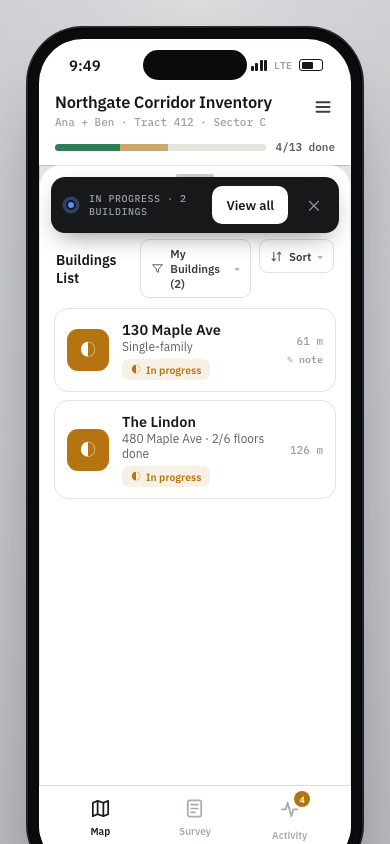
The prototype makes the building list a pull-up sheet over the map, with search, filter, sort, distance, and note markers.

July 3 prototype screenshot

The list opens above the map while the bottom navigation stays in reach.

July 3 prototype bottom sheet building list

Current field PWA screenshot

The current list is part of the normal page flow below the map and status legend.

Current field PWA building list below the map

Floor-aware building work panel

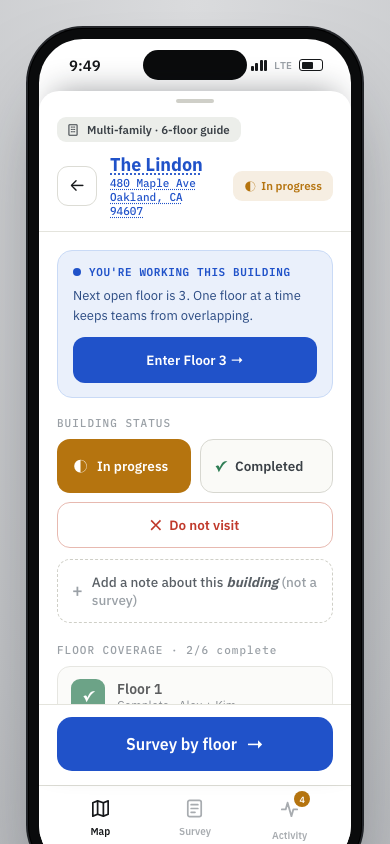
The prototype foregrounds multi-floor work state and gives the canvasser a next floor action inside the building panel.

July 3 prototype screenshot

The panel names who is working the building, shows floor progress, and offers the next floor action.

July 3 prototype building panel with floor work state

Current field PWA screenshot

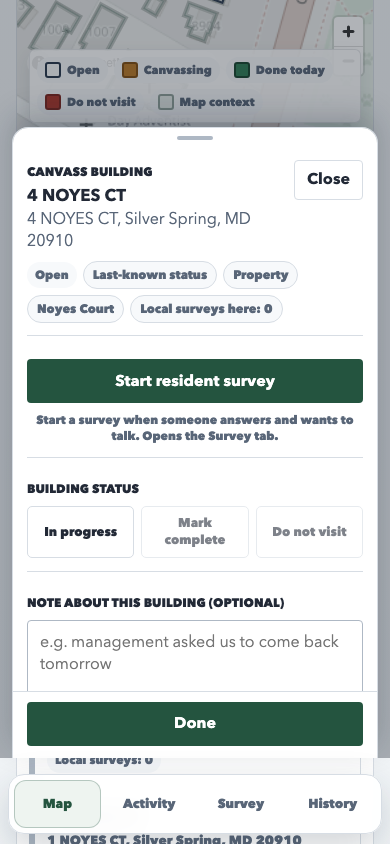
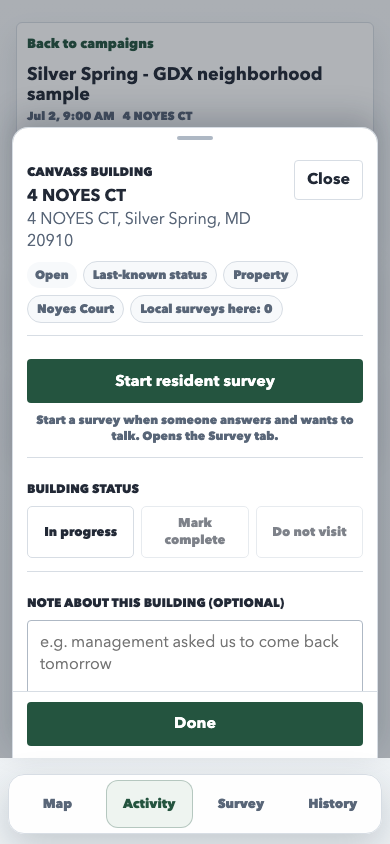
The current panel centers building metadata, resident survey CTA, status buttons, and a note field.

Current field PWA building panel

Location survey form

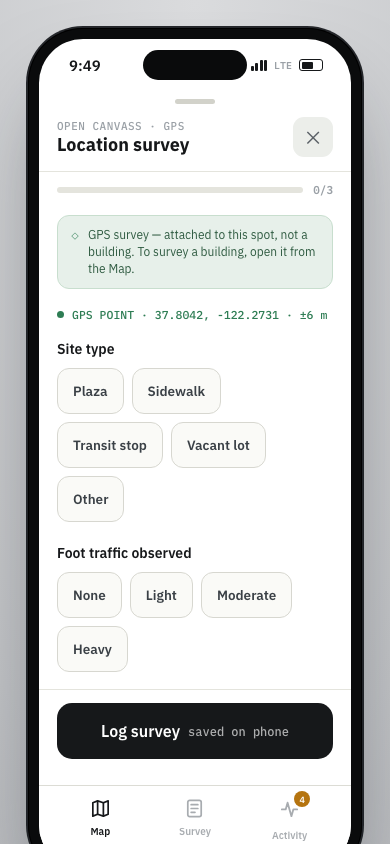
The prototype gives the Survey tab a GPS-attached location survey with short chip sections and a saved-on-phone footer.

July 3 prototype screenshot

The form is attached to the current GPS point and asks for site type, foot traffic, and planning concern.

July 3 prototype location survey form

Current field PWA screenshot

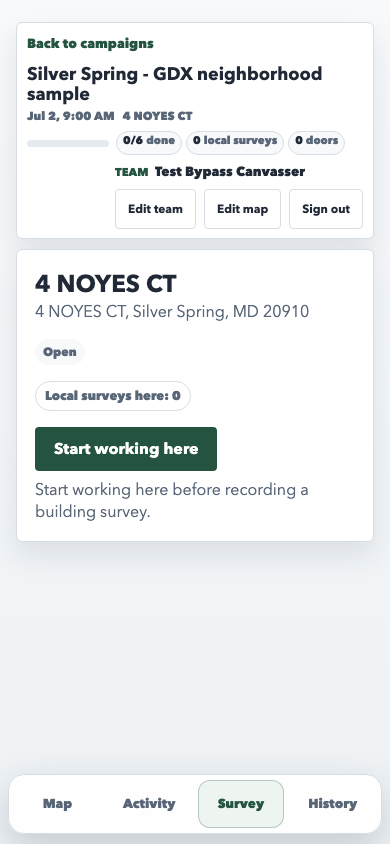
The current selected-building survey path asks the canvasser to start working before recording a building survey.

Current field PWA survey entry for selected building

Activity upload dashboard

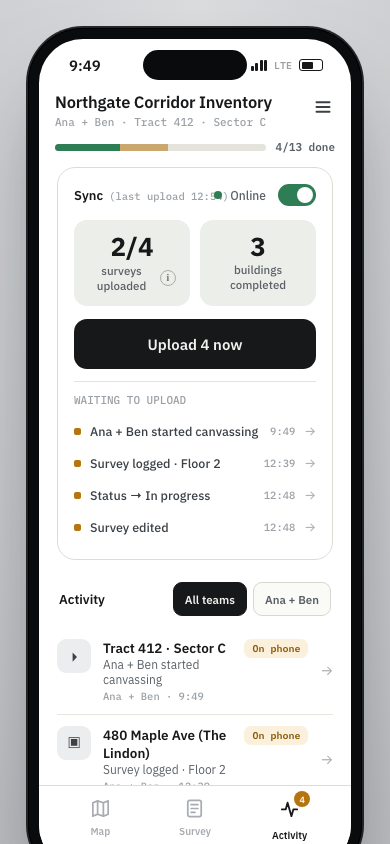
The prototype combines network state, waiting upload rows, counts, and the activity feed in Activity.

July 3 prototype screenshot

Activity starts with sync status, an upload action, waiting rows, and team feed filters.

July 3 prototype Activity upload dashboard

Current field PWA screenshot

The current Activity tab focuses on workers and field activity; local upload status appears in History.

Current field PWA Activity tab

Central menu and settings

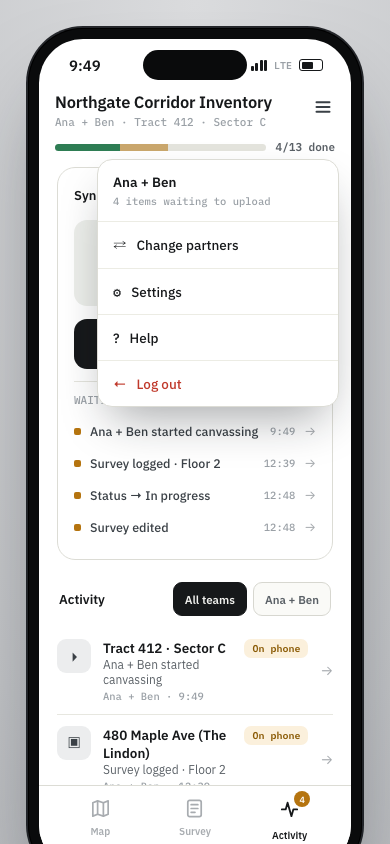
The prototype centralizes partner changes, settings, help, logout, and upload context behind the top-right menu.

July 3 prototype screenshot

The menu keeps account/session actions together and carries the pending-upload count.

July 3 prototype top-right menu

Current field PWA screenshot

The current header exposes Edit team, Edit map, and Sign out as separate buttons in the selected-canvass shell.

Current field PWA separate header actions